Once my pinhole camera was finished the next decision was should I use film or paper for the negatives? To be honest for me it was a fairly simple decision.
I had made a pinhole camera really just to see if I could do it and then I planned to use it to decide if I wanted to go into large format photography. So the next thing I needed was to show that the camera worked without spending too much money.
For me the pro and cons for film vs paper negatives were as follows:
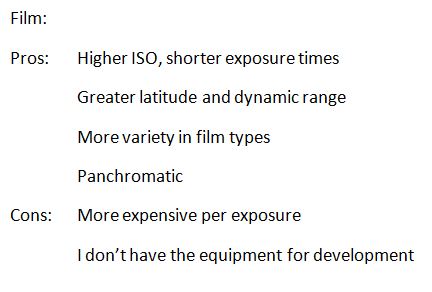
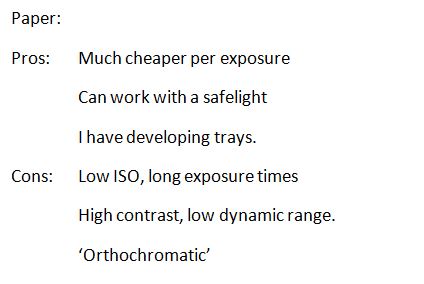
For me it came down to mainly cost in that the paper is much cheaper to buy than film and apart from developer I didn’t need to buy anything else as I already develop my own black and white films and I had converted a small cupboard into a very rudimentary darkroom. Enough space to cut up paper and develop the negatives in the lightweight plastic trays that you buy mushrooms in.
I also knew from reading around the subject that I could potentially reduce the high contrast of paper to a degree by pre-flashing. (I suggest you look it up – there’s plenty of info out there that explains it all much better than I can). Also, preflashing has the effect of increasing the ISO rating – not by much, maybe from around 6 to 12. The high contrast and high sensitivity to blue light that paper has can also give the results a vintage look, something I thought I could live with for the time being.
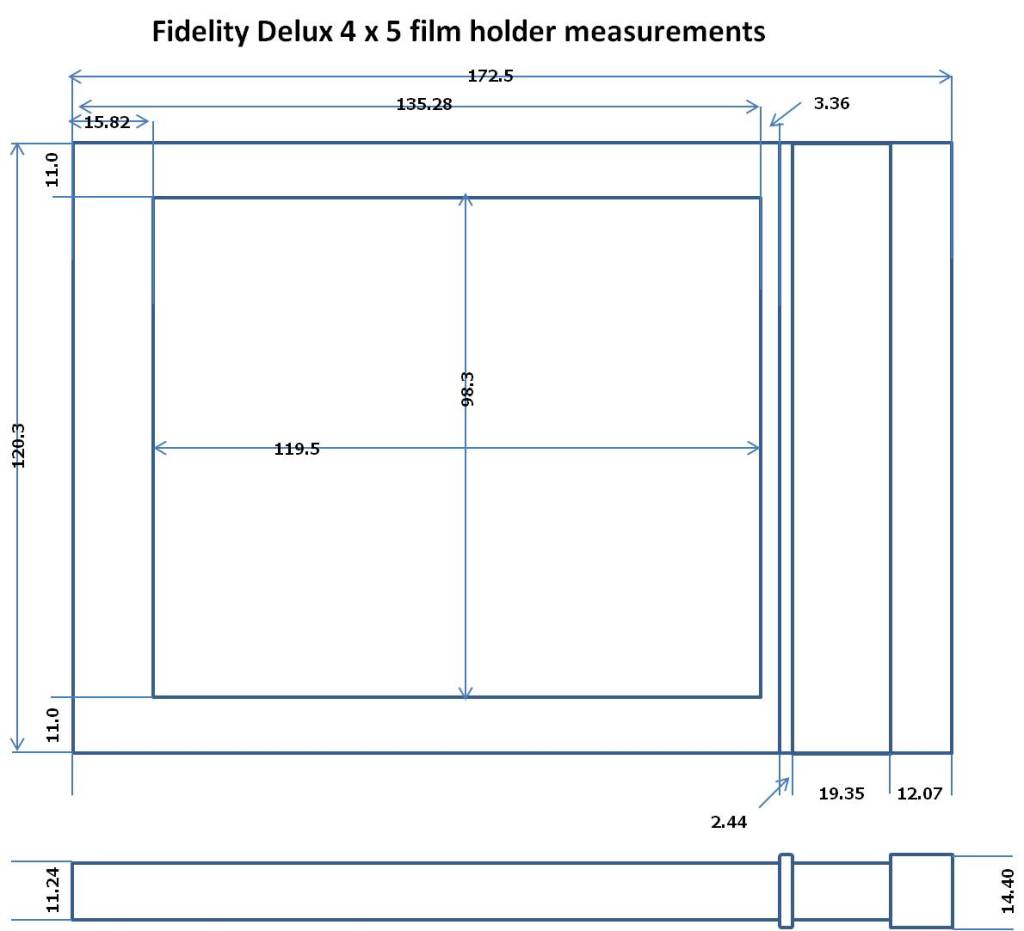
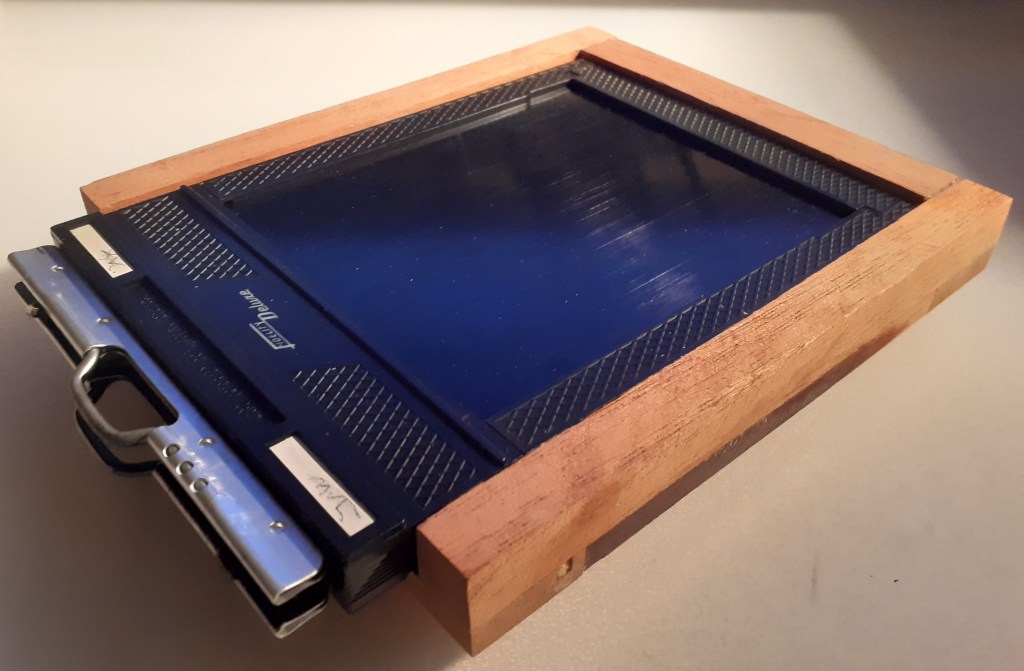
I cut a sheet of 8×10 Ilford Multigrade RC glossy paper into four sheets 100mm x 125mm. (Note that 4×5 format for some reason isn’t actually 4 inches by 5 inches- if you cut the paper into 4×5 inch sheets they won’t fit the film holder).
I then did a pre-flashing test and found that, for the light I used (a 15w bulb in a box which shone through three sheets of ordinary office paper to reduce the brightness), I needed 12 seconds to give a barely visible shade of grey to the developed paper. I then loaded two 100x125mm sheets of paper into the film carrier and pre-flashed them each for 10 seconds.
If you remember the pinhole in my camera gives me an aperture of f204. The exposure app on my phone tells me that for an exposure value of EV10 for ISO100 film I should use 1 sec at f32.
Adjusting for the paper ISO I counted backwards, 100 – 50 – 25 – 12 – 6, i.e. 4 stops for ISO 6, 16 seconds respectively
Adjusting for the aperture I did the same, 32 – 45 – 64 – 90 – 128 – 180 – 256, i.e. 5stops for f180 and 6 stops for f256. So for ISO 6 that would be 512 and 1024 seconds respectively. So I guessed at about 720 seconds for f204.
From these calculations I made this table which I intended to use to guide my first exposure:
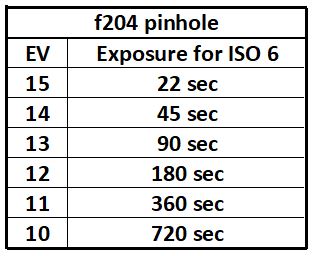
The idea behind this was to use my phone app to measure an exposure value for my first photograph and use the chart to pick a base exposure and then bracket it to get a better idea of what ISO the paper is and what exposure to give.
I set up the camera and measured an EV of 12, so for ISO 6 I would need to give a 180 second or 3minute exposure. I pulled the dark slide out ~1 inch and gave a 1min exposure, pulled the dark slide another inch and exposed for 1min and again and finally pulled the dark slide right out and exposed for 2min. This gave me a test strip with 2min, 3min, 4min , 5min and 6min exposures.
I developed the test strip and scanned it (also flipped and inverted the image), see below:
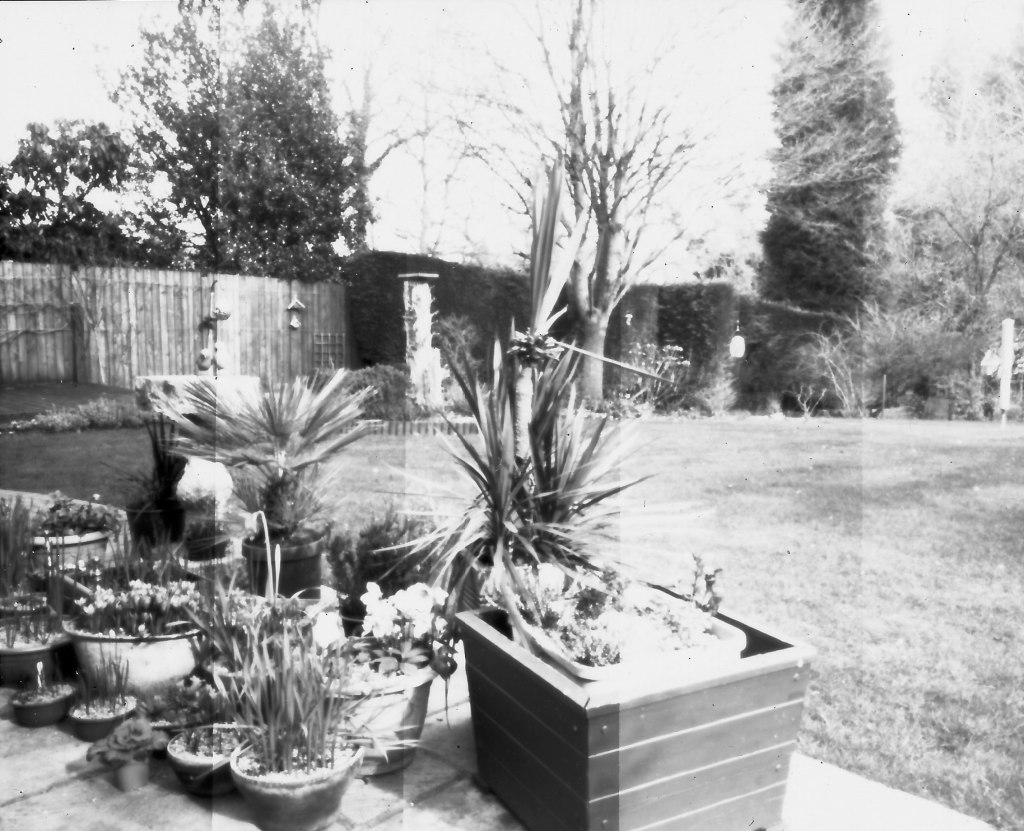
From these I chose the middle strip (4 minutes) as my exposure for the photograph, so it looks as though in my hands Ilford Multigrade RC has an ISO of around 5-6 even when preflashed. Good job I did a test strip.
During the actual exposure of my first test exposure I realised that the light had faded a little so I added on another minute to compensate (guesswork really)
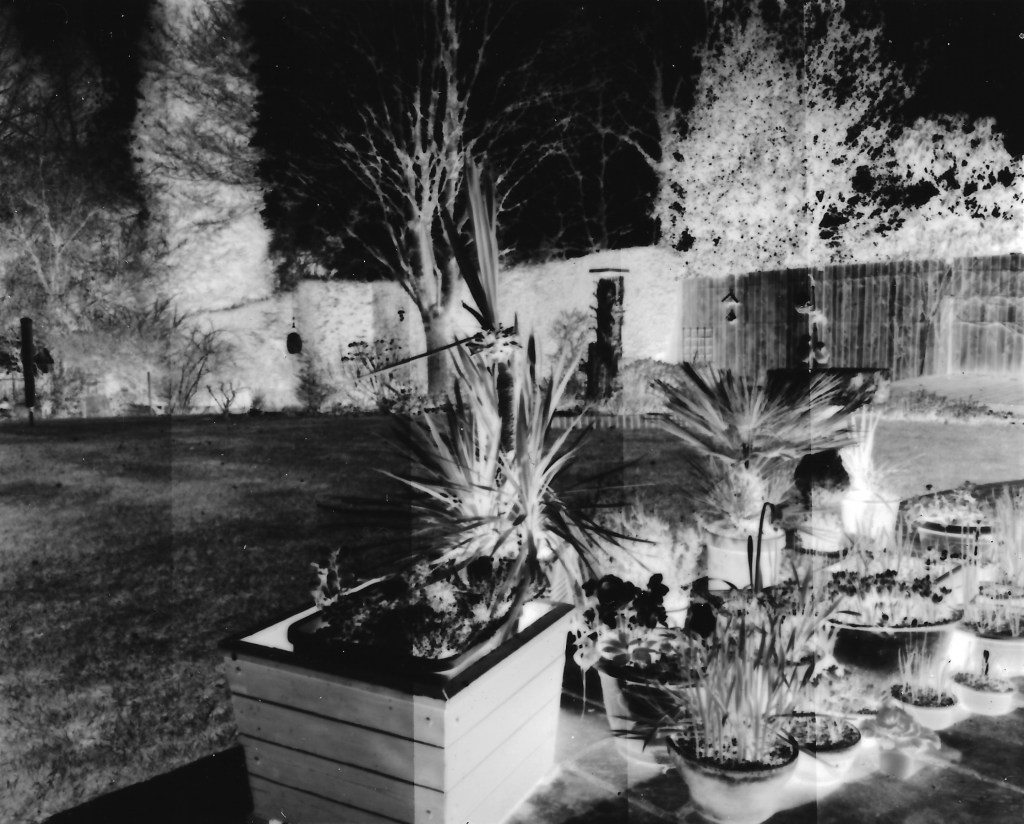
Here’s the final image I obtained (no digital enhancement except for flipping the image and invertion to make a positive).
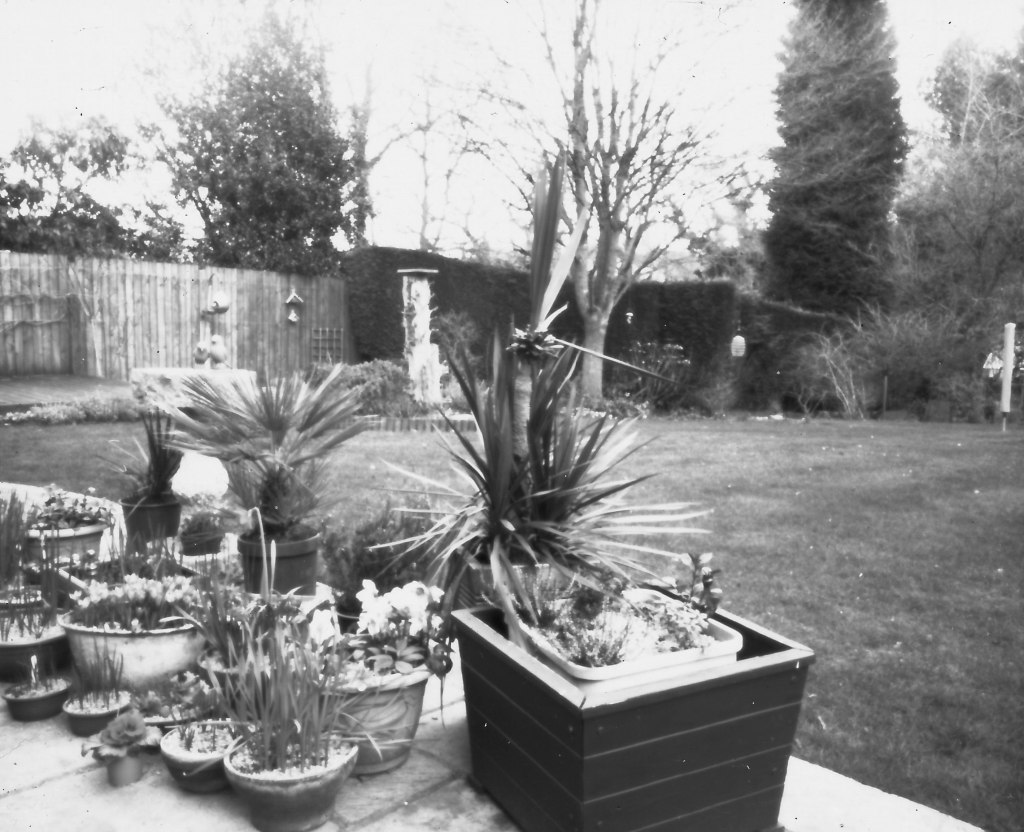
So there we have my first photograph from my pinhole camera (it’s just a view of the garden and not intended to have any artistic merit) but it does show that the camera works and I don’t seem to have any light leaks thanks to the light traps in the design.
For comparison I took a photograph of roughly the same view with my mobile and cropped it as best I could to cover the same area.
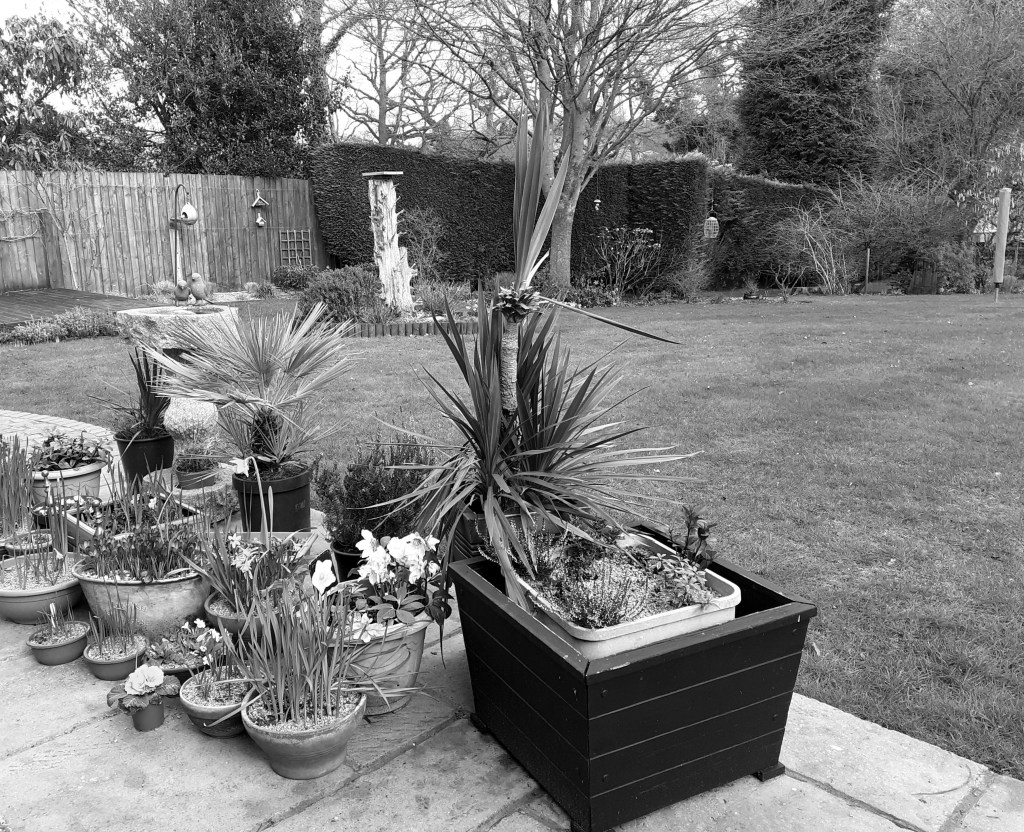
The most obvious thing here is the high level of contrast in the pinhole/paper negative image with blown out highlights which is not really surprising. I am a little disappointed that the image isn’t sharper although I wasn’t expecting it to match the mobile image as I am aware that my phone applies a lot of sharpening to the image anyway.
I sure I could fiddle with the image in Photoshop and get something that appears a little sharper looking but that’s not the point is it.
(The paper used was Ilford Multigrade RC Glossy, developed in Ilford Multigrade developer 1:10, citric acid stop bath and fixed in Ilford Rapid Fixer 1:10 and the negative was scanned at 600dpi using HP Photosmart 5520)
 I BOUGHT AN OLD FILM CAMERA